Free to play in your browser

Three browser games
for long winter evenings

Nothing to install and nothing to pay to begin. These are the three free-to-play browser games we keep returning to when the snow is falling and there is time to build something slowly: one about trains, one about an enchanted city and one about a farm that grows a little every day.

Rail Nation key art
01 · Railway strategy

Rail Nation

Build a railway company from a single station and a few slow locomotives, then grow it into a network that carries goods across a whole country. You compete and cooperate with other players to connect cities, and the best moves are planned an era ahead.

Good for
Players who like timetables, routes and a long, patient climb.
Typical session
A few short check-ins a day
Where it runs
Desktop browser; mobile app also available
Cost
Free to play; optional in-game purchases.
Your first session
  1. Follow the opening tasks: they teach routes, cargo and upgrades in a sensible order.
  2. Join an association early. Shared projects move far faster than going it alone.
  3. Pick a few profitable routes and upgrade them, rather than spreading trains thinly.
Play Rail Nation freeOpens rail-nation.com in a new tab
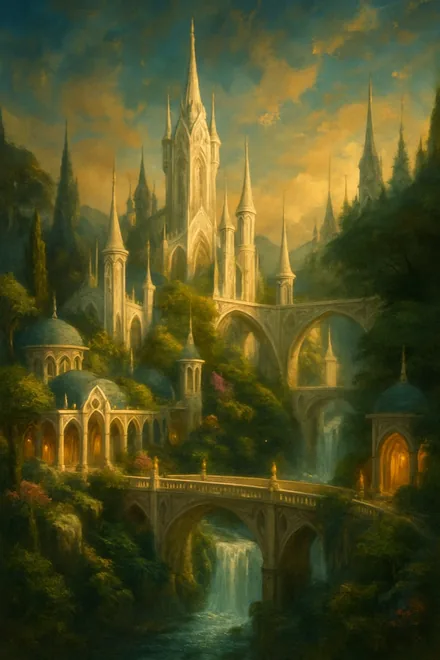
Elvenar key art
02 · Fantasy city builder

Elvenar

Choose elves or humans and grow a fantasy city one district at a time: workshops, residences, magical buildings and research that opens new chapters. Neighbours trade and help each other, and the city never stops growing as long as you keep visiting.

Good for
Builders who enjoy tidy layouts and a calm, steady pace.
Typical session
15 to 25 minutes
Where it runs
Desktop browser; mobile app also available
Cost
Free to play; optional in-game purchases.
Your first session
  1. Choose your race with care: elves and humans look and build differently.
  2. Leave room around your main hall; the layout gets tighter as the city grows.
  3. Visit neighbours and lend a hand each day. It costs nothing and they return the favour.
Play Elvenar freeOpens en.elvenar.com in a new tab
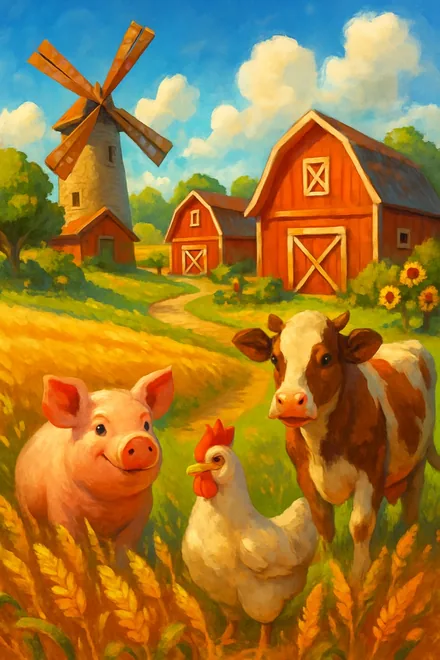
Big Farm key art
03 · Farming simulation

Big Farm

Take over a small family farm and turn it into a busy estate: fields, orchards, animals and production buildings, all feeding into orders from the village. Seasonal events add new decorations and short goals between bigger expansions.

Good for
Anyone who wants something gentle to tend for ten minutes at a time.
Typical session
10 to 15 minutes
Where it runs
Desktop browser
Cost
Free to play; optional in-game purchases.
Your first session
  1. Plant crops that finish around the time you plan to come back.
  2. Fill village orders first; they pay for the next field or barn.
  3. Keep some space free for the buildings that unlock later.
Play Big Farm freeOpens bigfarm.goodgamestudios.com in a new tab

The three side by side

Rail NationElvenarBig Farm
GenreRailway strategyFantasy city builderFarming simulation
PaceSlow and strategicCalm and steadyGentle and relaxed
Playing with othersAssociations of playersFellowships and neighboursCooperatives with other farmers
Typical sessionA few short check-ins a day15 to 25 minutes10 to 15 minutes
Where it runsDesktop browser; mobile app also availableDesktop browser; mobile app also availableDesktop browser
CostFree to play; optional in-game purchases.Free to play; optional in-game purchases.Free to play; optional in-game purchases.

What free to play means here

All three games are free to download into your browser, free to start and free to keep playing. You will not hit a wall that forces a payment.

Like most browser games, each one also sells optional extras inside the game: decorations, speed-ups or premium currency. None of them are needed to enjoy the game, and you can play for months without opening the shop. If you share a computer with family, it is worth checking the payment settings on the studio account you create.

Getting started in under five minutes

Press the button under a game and its official site opens in a new tab. You create a free player account with that studio, usually with an email address, and the first map loads straight away.

The opening tasks in each game are short and genuinely useful. Follow them for the first session rather than skipping ahead; they unlock the parts of the game that make later visits quicker.

Fitting a game into a busy week

These are games that move forward while you are away. Crops grow, trains run and workshops finish their jobs whether or not the tab is open, so a ten-minute visit in the evening is enough to keep things ticking.

If you only have a few minutes, collect what is ready, set the next job going and close the tab. Longer evenings are for planning: a new route, a new district, a bigger barn.

Keeping your game accounts tidy

Each game account belongs to its studio, not to us, so you sign in on their sites. Use a password you do not use anywhere else, and turn on any extra sign-in protection the studio offers.

Studios will never ask for your password by email or chat. If a message inside a game offers free premium currency in return for your login, it is not genuine.

How we picked them

  • Each one runs straight in a desktop browser, with no download or launcher.
  • Each one is free to start and stays playable without spending anything; extras are optional.
  • Each one rewards planning over speed, so a short visit still moves things forward.
  • Each one has been running for years, with an active player base and regular updates.

No. All three open in a normal desktop browser. Rail Nation and Elvenar also offer a mobile app, but you never need it.

Yes, they are free to start and free to keep playing. Each one also sells optional extras inside the game, which you can ignore.

No. They are made and run by their own studios. The buttons take you to each game’s official site, where you create a player account with that studio.

Yes. Each studio runs its own sign-up, so you create one free account per game on its official site.

Yes. All three are designed for ordinary desktop and laptop screens; a mouse makes the building games more comfortable than a trackpad.

For a calm start, Big Farm. For planning and routes, Rail Nation. For building something beautiful over weeks, Elvenar.

As little as ten minutes a day. All three keep working while you are away, so short regular visits suit them better than long sessions.